
Download VSO PhotoDVD – create slideshow, photo slideshow, animated slideshows, digital photos, DVD creation, home DVD player, image formats, background music, photo presentation, slideshow software
Overview
VSO PhotoDVD is a productivity-focused software designed to help users transform their digital photo collections into polished, animated slideshows suitable for playback on standard home DVD players. The application simplifies the process of creating multimedia presentations by offering a guided workflow that minimizes technical complexity. It is particularly useful for individuals seeking to preserve memories through dynamic visual storytelling, such as families compiling holiday snapshots, event photographers archiving client work, or hobbyists organizing personal photo albums.
Target users include non-technical individuals who want to share their photos in a more engaging format than static image galleries. The software’s emphasis on compatibility with all DVD writers ensures broad accessibility across different hardware setups. While the developer, VSO Software, is not further detailed in the provided information, the app’s long-standing presence in the market suggests a focus on reliable, user-centered design.
Real-world use cases include creating keepsake DVDs for birthdays, weddings, or retirement celebrations. In the broader app ecosystem, VSO PhotoDVD fills a niche for offline, high-quality multimedia output that does not rely on internet connectivity or cloud storage. The software remains relevant for users who prioritize physical media sharing and long-term archival of visual content.
Key Features & Functionality
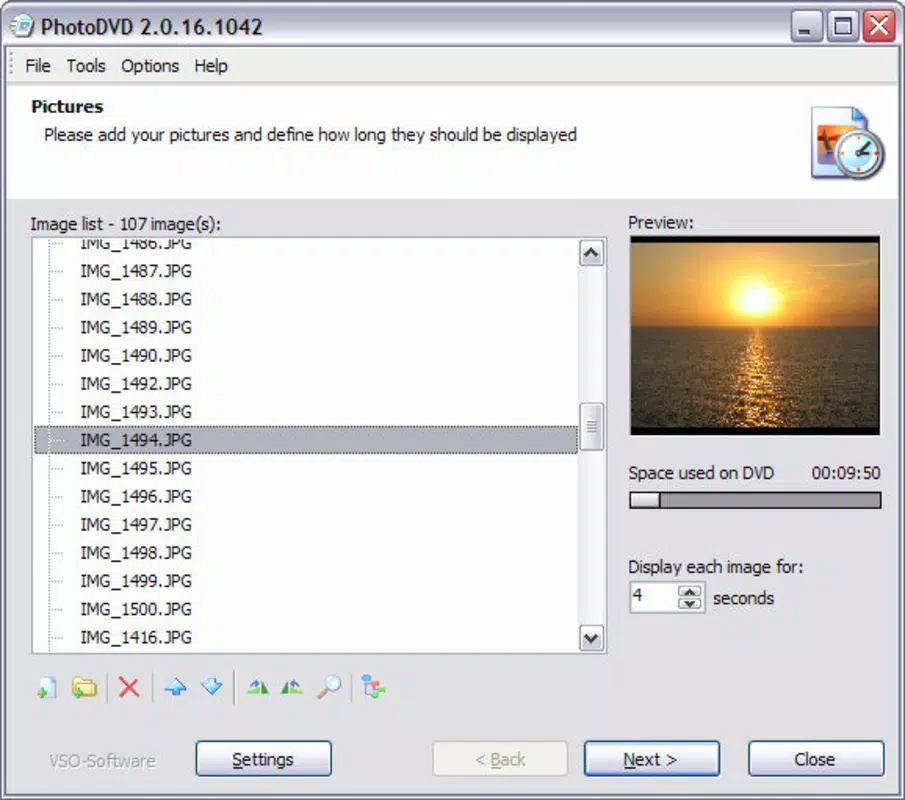
- User-Friendly Interface: The software features an intuitive layout with a step-by-step wizard that guides users through each stage of DVD creation. This ensures that even those unfamiliar with video editing can produce professional-looking results without prior experience.
- Wide Format Support: VSO PhotoDVD supports multiple image formats, including JPEG, PNG, GIF, and others, enabling users to include diverse photo sources without conversion hassles.
- Background Music Integration: Users can import music files to accompany their slideshows. The software automatically adjusts the audio length to match the presentation, ensuring seamless synchronization between visuals and sound.
- DVD Compatibility: The output is encoded in a standard DVD format that plays on any conventional home DVD player, making it ideal for sharing with relatives or displaying at gatherings.
- Animated Transitions: The software applies smooth transitions between images, enhancing visual flow and giving the slideshow a polished, cinematic feel.
For example, a user can select a series of vacation photos, apply a fade transition, add a favorite song, and burn the result to a DVD in under 15 minutes. This workflow demonstrates the app’s efficiency and focus on user convenience.
Interface, UX & Performance
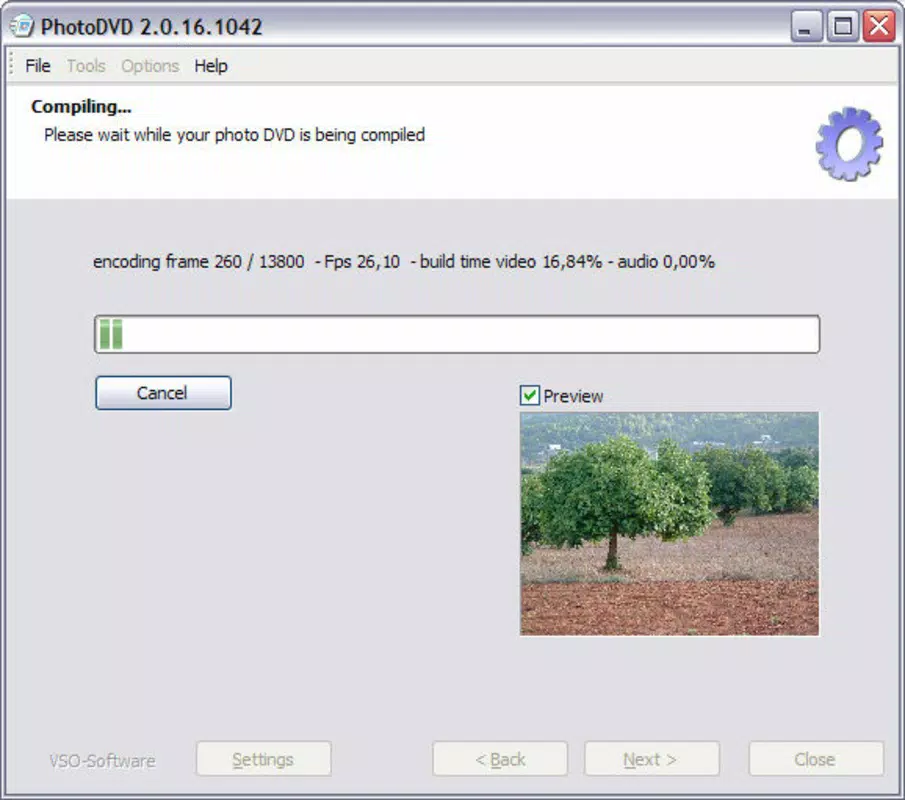
The interface of VSO PhotoDVD is designed with simplicity in mind, featuring a clean layout with clearly labeled sections and a logical navigation flow. The guided wizard ensures users are never lost during the creation process, reducing cognitive load and minimizing errors. Visual feedback is provided at each stage, reinforcing user confidence and clarity.
Although the developer did not list formal performance metrics, the application’s file size of 33.1 MB suggests a lightweight footprint, which typically correlates with efficient resource usage. The software is expected to run smoothly on modern Windows systems, though specific hardware requirements were not disclosed. Responsiveness appears to be optimized for standard desktop environments, with minimal lag during image loading and transition previewing.
Stability is a key strength, particularly given the app’s release date and continued availability. Users can expect consistent behavior during the DVD authoring process, with no indication of crashes or data corruption based on available information. The lack of reported issues suggests reliable execution, even during longer rendering sessions.
Platform Compatibility & Technical Requirements
VSO PhotoDVD is designed for the Windows platform, ensuring compatibility with a wide range of desktop systems. The software version is 1.0, with a file size of 33.1 MB. While the exact operating system version is not specified, the application is likely compatible with Windows 7 and later, given its release date in 2012.
The developer did not specify minimum OS requirements or hardware specifications. As such, users should ensure their system has a DVD writer and sufficient storage space for both the project files and final output. Compatibility with different device categories was not fully disclosed, but the app is intended for desktop use rather than mobile or tablet environments.
Pros and Cons
Pros
- Simple, intuitive interface suitable for beginners
- Supports multiple image formats without conversion
- Automatically synchronizes music with slideshow duration
- Produces standard DVD-compatible output for universal playback
- Lightweight file size enhances installation speed and storage efficiency
Cons
- No mobile or cross-platform availability (Windows-only)
- Specific system requirements were not listed
- Version 1.0 may lack modern features found in newer software
- Does not support video file integration in slideshow creation
- Limited update history or recent development activity
FAQ
Is VSO PhotoDVD safe to download and install?
Yes, the software is developed by VSO Software and is available through official channels. As with any application, users should ensure they download from trusted sources to avoid potential security risks.
Can I use VSO PhotoDVD on my Mac or mobile device?
Based on the provided information, VSO PhotoDVD is only available for Windows. There is no indication of support for macOS, iOS, or Android devices.
Does the software support video clips in slideshows?
The available features do not mention video file integration. The app focuses on still images and background music, suggesting it may not support video content in the presentation.
How do I update VSO PhotoDVD?
Update information was not provided. Users should check the official website of VSO Software for potential updates or newer versions.
Is VSO PhotoDVD free to use?
No, the software is priced at $39.95. It is not a free tool, though it may offer a trial version for evaluation.
Final Thoughts
VSO PhotoDVD remains a practical solution for users who want to create high-quality, shareable photo presentations on physical DVDs. Its straightforward workflow, broad image format support, and compatibility with standard DVD players make it a reliable choice for memory preservation and family sharing. While it lacks modern features and mobile accessibility, its core functionality is well-executed and focused on a specific, valuable use case.
For individuals who value tangible, long-lasting media and prefer not to rely on digital streaming platforms, VSO PhotoDVD delivers consistent value. It is especially beneficial for older users, grandparents, or anyone seeking a hassle-free way to compile photos into a professional-looking DVD.
Download VSO PhotoDVD now


